Billing and plans
The plans and their prices, your 14-day free trial, how to subscribe, change plan, cancel or replace your card, and what happens if a payment fails.
In the console: Billing
Comrc is paid for by a monthly subscription to a plan. You can also choose Flex, which has no monthly fee. All prices are in pounds, and the pricing page always shows the current plans.
Plans for shops
- Flex: £0 a month, plus 2% of eligible card sales.
- Start: £29 a month.
- Grow: £69 a month.
- App: £149 a month.
- Multi-store: £299 a month.
Plans for food and drink
- Flex: £0 a month, plus 2.5% of eligible card sales.
- Direct: £59 a month.
- Operations: £109 a month.
- Complete: £159 a month.
- Multi-site: £299 a month.
On the monthly plans Comrc takes no commission on your sales. On Flex there is no monthly fee, and Comrc takes the percentage above from eligible card sales instead. Card payments also have Stripe's own processing fees, which are separate.
What each plan includes
Each plan builds on the one before it. Here is what each step adds.
- Shops. Flex and Start: your online store with a free address, products, variants and stock, card payments and cash on delivery, discounts and analytics. Grow adds discount codes and loyalty, and more staff accounts. App adds gift cards and store credit. Multi-store adds permissions for each team member and several stock locations.
- Food and drink. Flex and Direct: online ordering with menus, delivery and collection. Operations adds QR table ordering and the kitchen display. Complete adds loyalty, gift cards and delivery dispatch from the kitchen display. Multi-site adds permissions for each team member and several locations.
- Staff accounts. Start and Flex include 1, Grow 5, App 10, and Multi-store unlimited (the same steps apply to food plans).
- AI tools. Each plan has monthly AI allowances that grow with the plan. See AI tools.
Your own store app
A branded iPhone and Android app for your store is included in the App, Multi-store, Complete and Multi-site plans. On the other plans it is an extra £49 a month.
Free trial
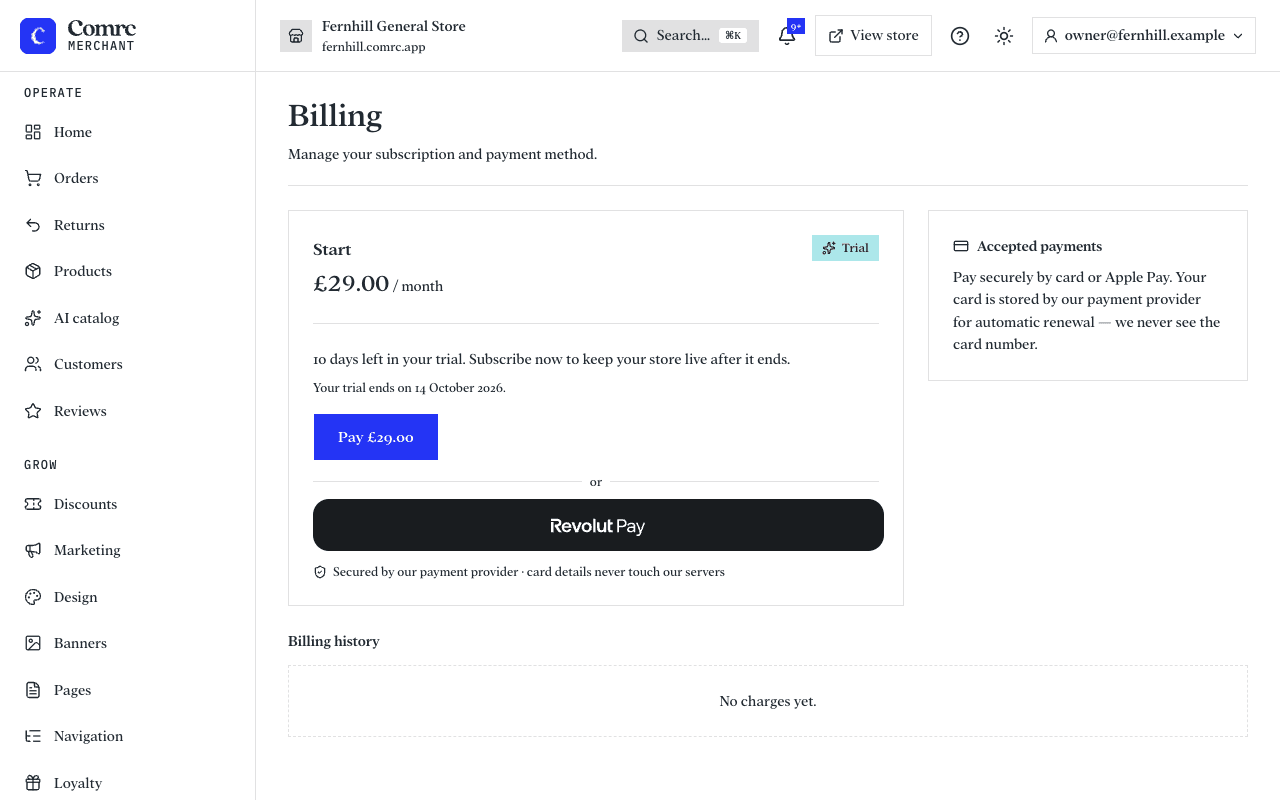
New stores start with a 14-day free trial, so you can set up your store and try it before you pay. The Billing page shows how many days you have left. Subscribe before it ends to keep your store live. A trial is given once per store.
How you pay
Your subscription is billed through Revolut, our payment provider for subscriptions. You can pay by card, Apple Pay or Revolut Pay. Your card is saved for automatic renewals, and we never see the full card number. This is separate from the card payments your customers make, which go through Stripe.
Subscribe, change plan, cancel
- Open Billing in the console. It shows your plan, its status, and when it renews or your trial ends.
- To subscribe, choose a plan and press Pay. Pay with a card, Apple Pay or Revolut Pay.
- To change plan, press Change plan, choose a plan and press Switch to this plan. The new price applies from your next renewal.
- To cancel, press Cancel subscription. Your store stays live until the end of the period you have paid for, then it is suspended. If you cancel during your trial, your store is suspended straight away. Changed your mind? Press Resume subscription, or Reactivate once it has ended.
Billing also lists every charge you have been billed, with its date, amount and whether it was paid.
Replace your card
Under Card on file, press Replace card and enter the new one. You aren't charged to update it; we only check that it works. If your last payment failed, replacing your card restores your store straight away.
If a payment fails
- Your subscription is marked Past due and we email you. Billing shows that your last payment failed.
- We keep trying the card. You have a grace period of 7 days after your renewal date, and your store stays live during it.
- If it still hasn't been paid when the grace period ends, your store is suspended and we email you to say so.
- To get back online, replace your card or pay on the Billing page. Your store comes back once the payment goes through.
A payment that is still being processed says so on the Billing page. There's no need to pay again; the page updates when it clears.
Closing your store
If you want to stop for good, you can close your store and delete your account. See Close your store and delete your account.
Note Questions about a charge? Email billing@comrc.app with the date and amount and we'll reply within one working day.
Still stuck?
Email support@comrc.app and we'll help you out.