Returns and refunds
How returns work: customers ask for one, or you start one for them, then you approve it, receive the goods and resolve it as a refund or an exchange.
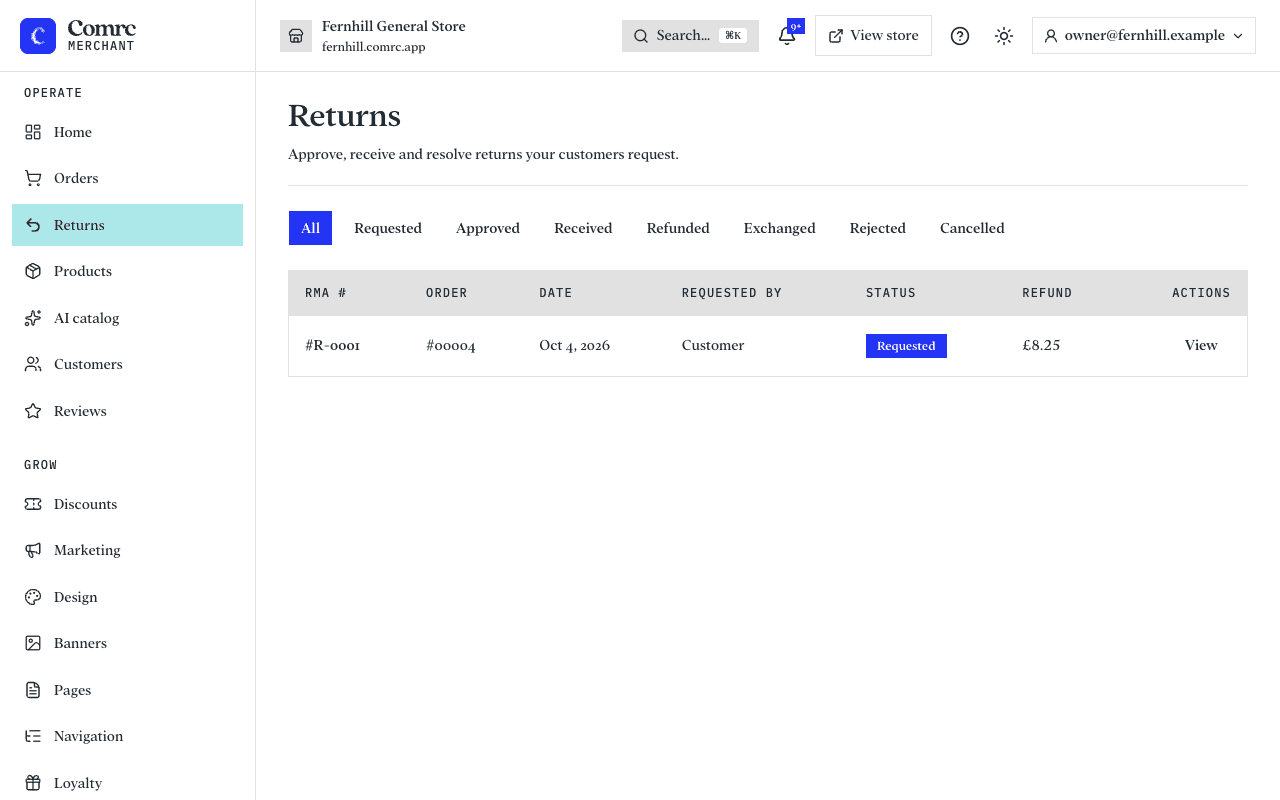
In the console: Orders → Returns
Customers can ask to return items from an order once it has been delivered, by default within 14 days (the UK cancellation period). Each request appears under Orders → Returns for you to deal with. You can also start a return yourself.
Handling a return
- Open the return from the Returns list. You'll see the items, the reason, who asked for it (the customer or you) and a timeline.
- Press Approve, or Reject if it doesn't meet your returns policy. When you reject, you can add a note explaining why.
- If you have a shipping carrier connected, you can generate a prepaid return label and download it for the customer.
- When the goods reach you, press Mark received. The items go back into stock. If you keep stock in more than one place, choose where they go back into; otherwise they return to the location the order was sent from.
- Resolve it: press Resolve as refund, or Resolve as exchange.
The return's status moves from Requested to Approved, then Received, and then Refunded or Exchanged. You can also cancel a return that is still open. A closed return can't be changed.
Refund or exchange
- Resolve as refund: the value of the returned items is refunded. For a card payment it goes back to the customer's card through Stripe.
- Resolve as exchange: the return is closed as an exchange. Comrc doesn't create a replacement order, so send the replacement yourself.
Starting a return for a customer
Open the order and, in its returns section, press Start a return. Choose the items and quantities being returned. Use this when a customer phones or emails you rather than using the store. The return then shows as requested by you.
Refunds on the order
The order page shows what has been refunded and what is left to refund. You can refund part of an order as well as all of it, and the refunds you have made stay on the order. For refunds without a return, failed refunds and gift card orders, see Refunding payments.
Where the money goes
Refunds for card payments are sent back to the customer's card through Stripe. It can take several working days to appear on their statement, depending on their bank. Cash orders are different: give the customer their money back first, then record the refund on the order.
Note Your returns policy is your own. Make sure what you tell customers on your store matches how you handle returns, and your legal obligations to consumers.
Still stuck?
Email support@comrc.app and we'll help you out.